

EazSell

PDV de restaurante e QSR

Receba contra-ordens, gerencie alterações aprovadas e feche o turno sem enviar a equipa para uma ferramenta fiscal separada.

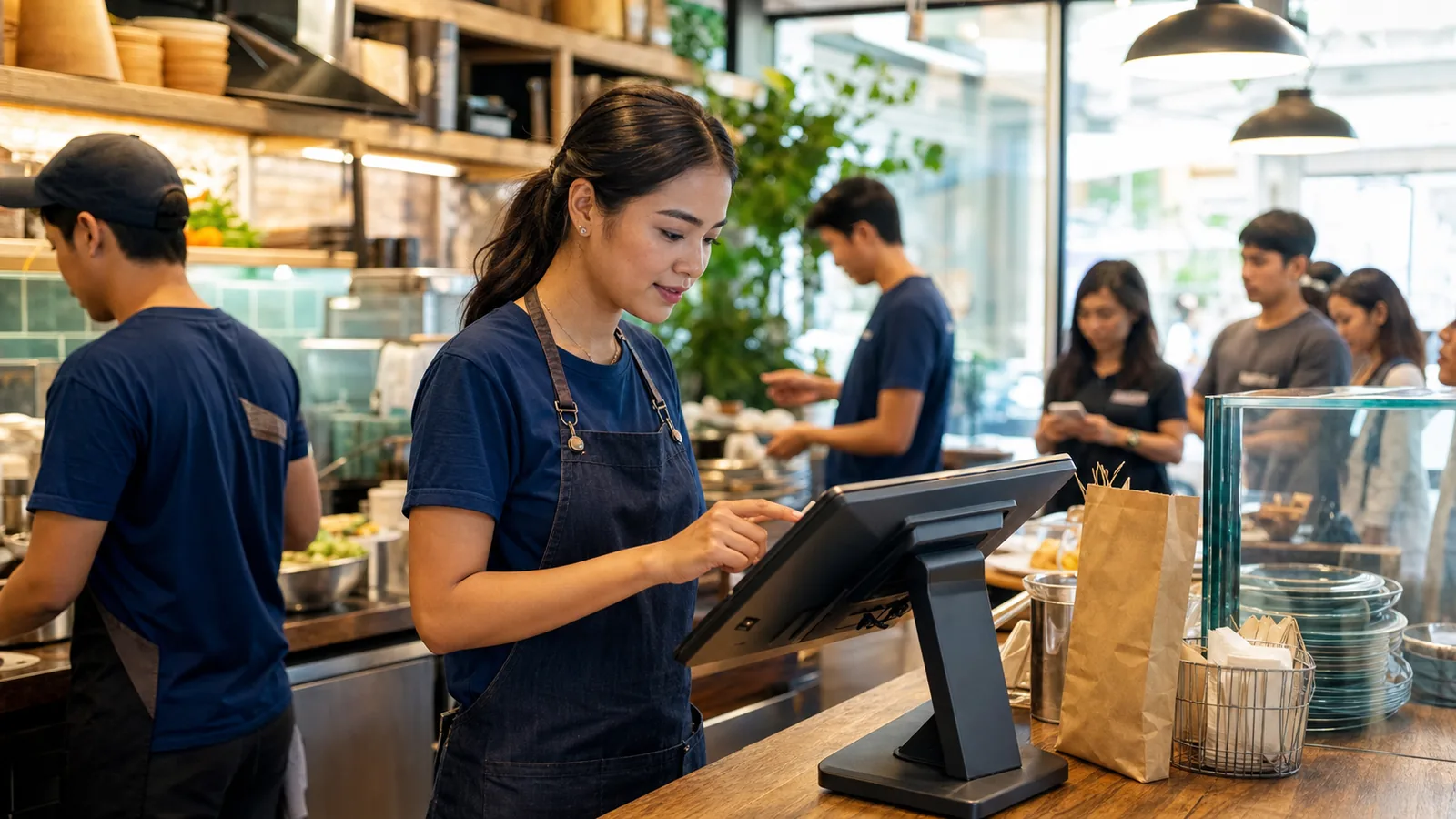
Restaurant team member entering a counter order on an Android POS during service
Restaurant server entering an order on a handheld device beside seated diners

Pronto para serviço

Keep the order moving when the counter gets busy.

Move from the menu to payment and receipt without breaking the service flow. Approved changes stay visible, and the next shift gets a clear record of cashier activity and daily sales.

Concebido para a forma como o seu sector trabalha.

Veja os ecrãs usados no balcão, no armazém ou durante uma visita ao cliente.

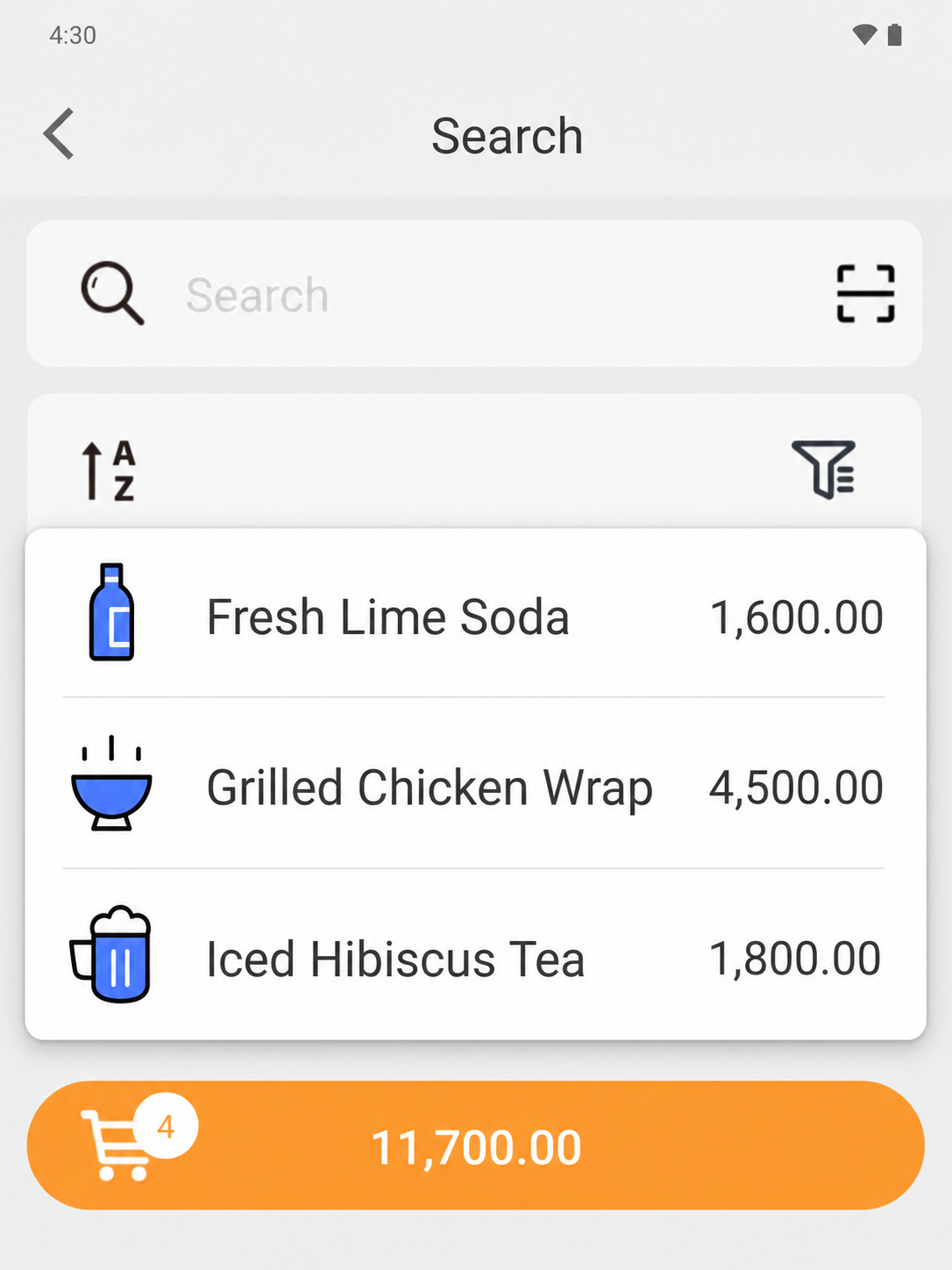
EazSell Android product search showing a fuller Fresh Kitchen menu with distinct food and drink thumbnails
01

Menu navigation

Help cashiers find menu items fast.

Group food and drinks into a familiar menu with clear names, pictures and prices. Cashiers can tell similar choices apart without opening every product record.

During a lunch rush, that familiar view helps staff turn the customer order into the right ticket quickly. It also gives new or temporary staff useful visual cues while they learn the menu.
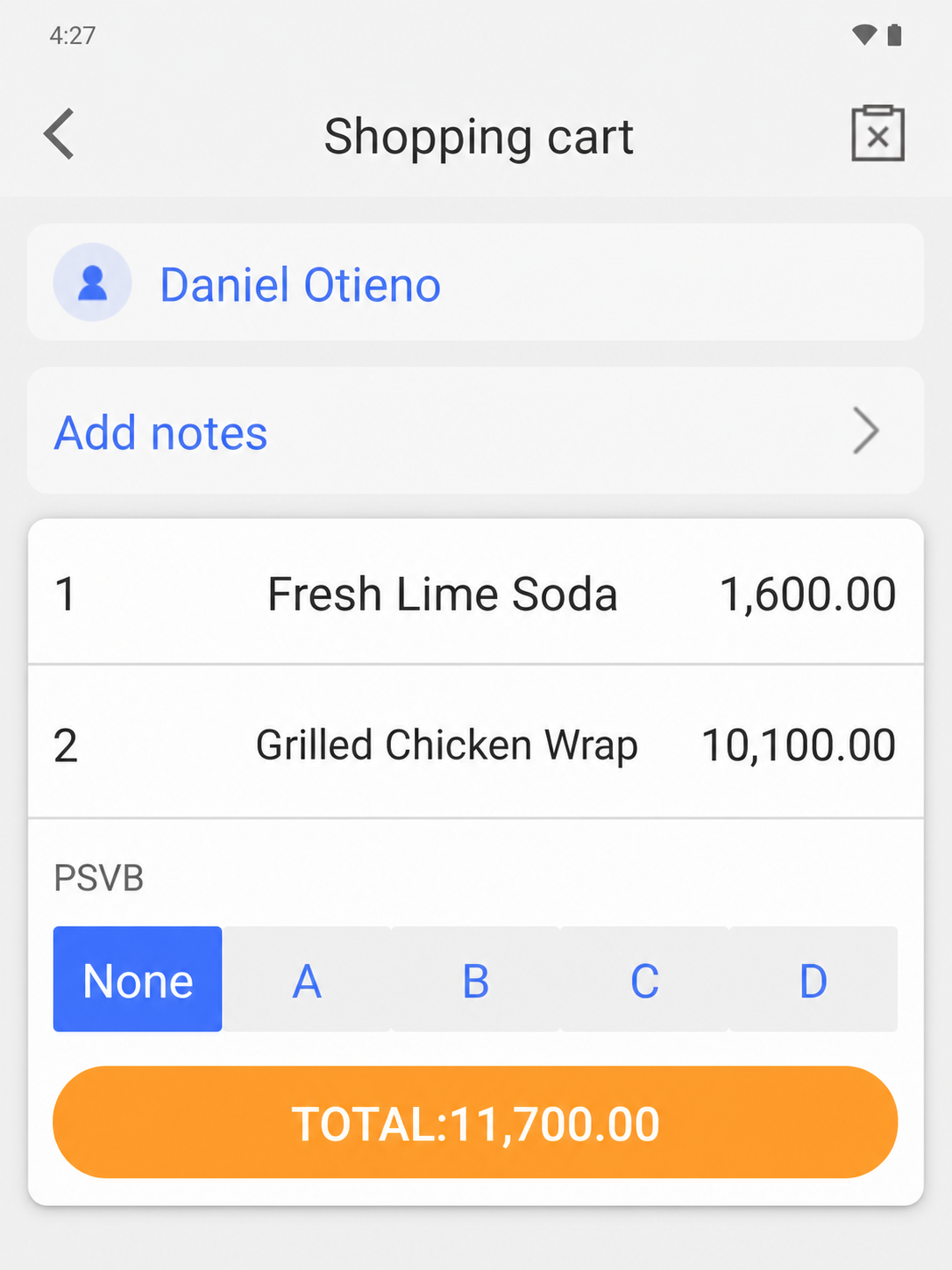
EazSell Android shopping cart without the instructional banner, showing food items, quantities and total
02

Order review

Check the order before the customer pays.

Keep item names, quantities, prices and the running total together on the basket screen. Customer details and order notes remain available before payment begins.

The cashier gets a final chance to correct a quantity, confirm a takeaway order or read the total back to the customer. It is much easier to fix a mistake while the ticket is still open.

Simplifique os períodos mais movimentados do dia.

Reúna caixa, controlos de factura e registos diários para reduzir ferramentas e dados introduzidos duas vezes.

Atender filas nos horários de pico

Create a clear ticket, adjust menu quantities and move from order to payment with fewer handoffs at the counter.

Controle descontos e reembolsos

Keep higher-risk actions visible and apply the configured review or permission path before the receipt is finalized.

Torne a transferência de turnos mais clara

Use cashier, payment and daily sales records as a shared basis for handover and end-of-day review.

Veja como uma venda percorre a EazSell.

A equipa segue passos familiares do primeiro artigo ao recibo final, enquanto a EazSell mantém os registos actualizados.

  1. 1

    Create

    Add menu items and confirm quantities.

  2. 2

    Análise

    Apply authorized changes, discounts or refunds.

  3. 3

    Collect

    Record the configured payment method.

  4. 4

    Receipt

    Validate and print the fiscal receipt.

  5. 5

    Close

    Review the shift and daily sales summary.

Escolha uma configuração adequada à sua equipa.

Use a EazSell num dispositivo Android e impressora compatíveis com o balcão, a equipa móvel e os requisitos locais.

  • All-in-one Android POS with a built-in receipt printer for counter service
  • Android tablet with a Bluetooth receipt printer for a flexible service point
  • A compatible cash drawer for deployments that require cash control at the counter

Veja como a EazSell se adapta ao seu negócio.

Explique como a sua equipa vende hoje. Mostraremos as opções relevantes de caixa, facturação, modo offline e equipamento.

Pedir uma demonstração