

EazSell

PDV de varejo e farmácia

Atenda os clientes rapidamente enquanto a EazSell mantém vendas, stock, pagamentos e receitas fiscais juntos atrás do balcão.

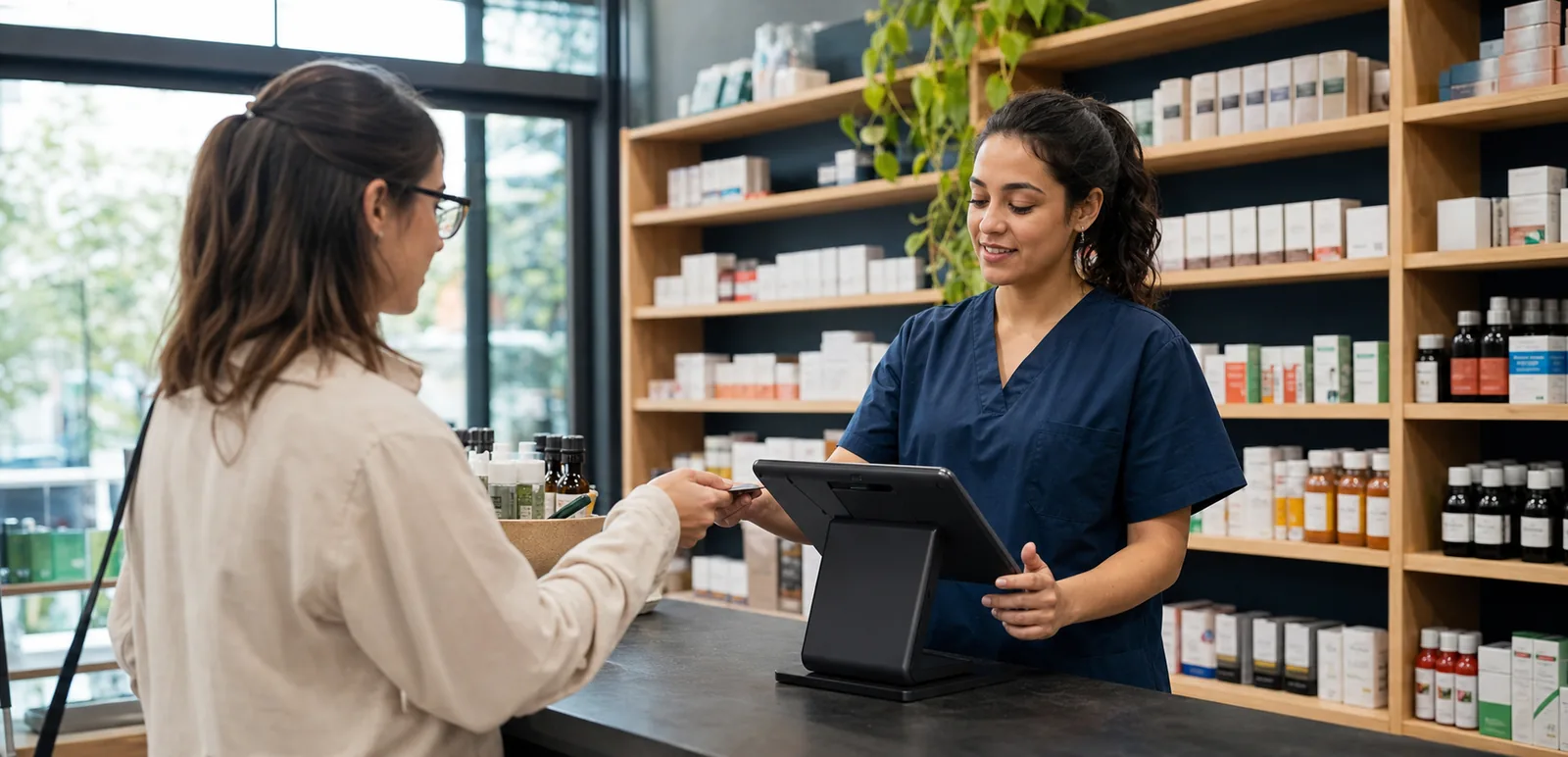
Pharmacy staff member completing a customer payment on an Android POS at the counter
Pharmacy employee checking wellness product stock with an Android handheld in the aisle

Construído para o balcão

A smoother checkout flow, from item scan to daily close.

Staff can find items, take payment, check the invoice and print the receipt without jumping between systems. At the end of the day, sales, stock and payment records are ready for the manager to review.

Concebido para a forma como o seu sector trabalha.

Veja os ecrãs usados no balcão, no armazém ou durante uma visita ao cliente.

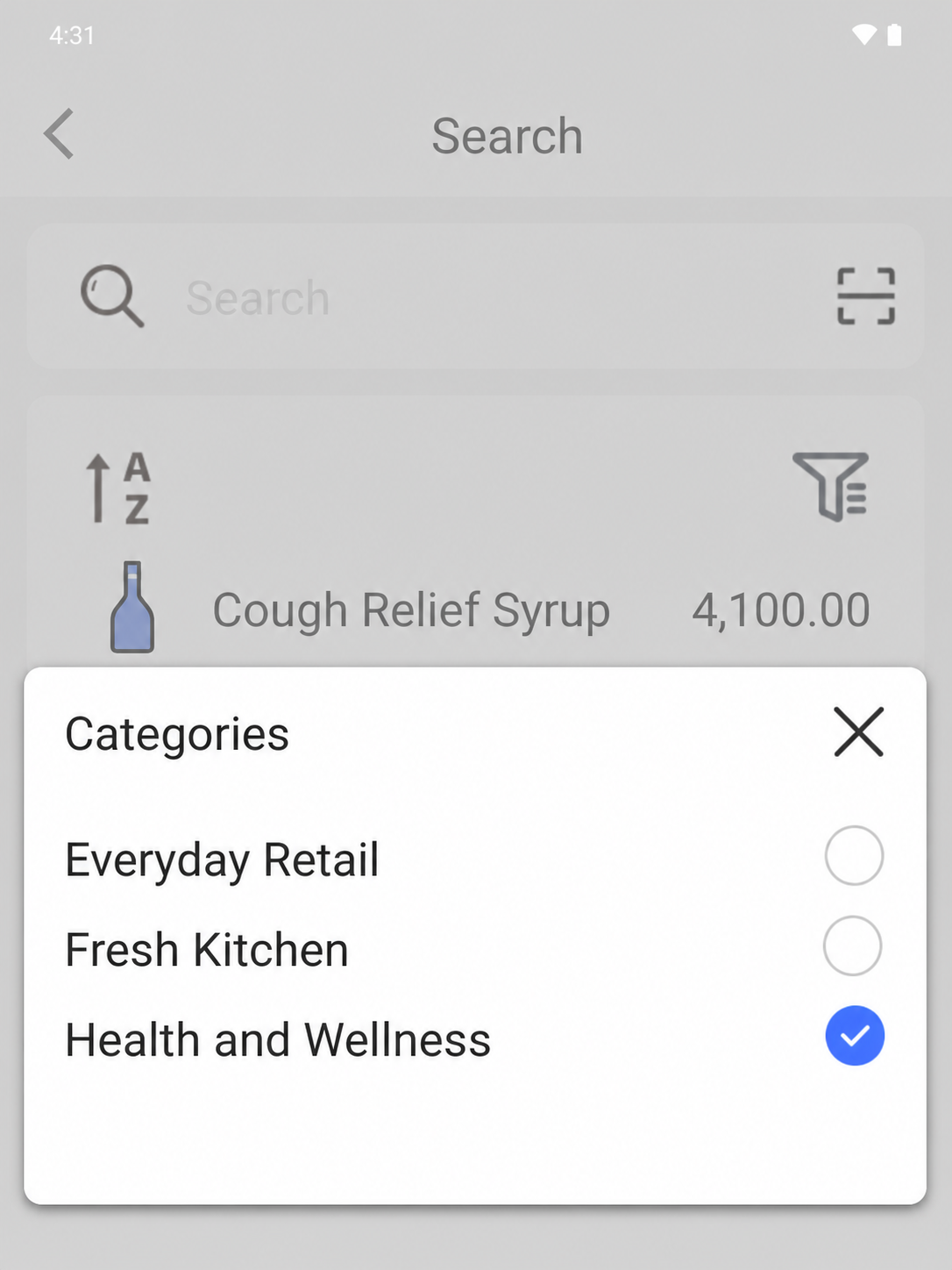
EazSell Android department filter open over Health and Wellness products with distinct thumbnails
01

Product search

Find the right product without holding up the queue.

Choose a department such as Health and Wellness to narrow a large catalogue in seconds. Clear product pictures, names and prices help the cashier confirm the right item before adding it to the sale.

This is especially useful at a busy pharmacy or mixed retail counter. New staff can find their way around the catalogue sooner, and experienced staff can spend more time helping the customer.
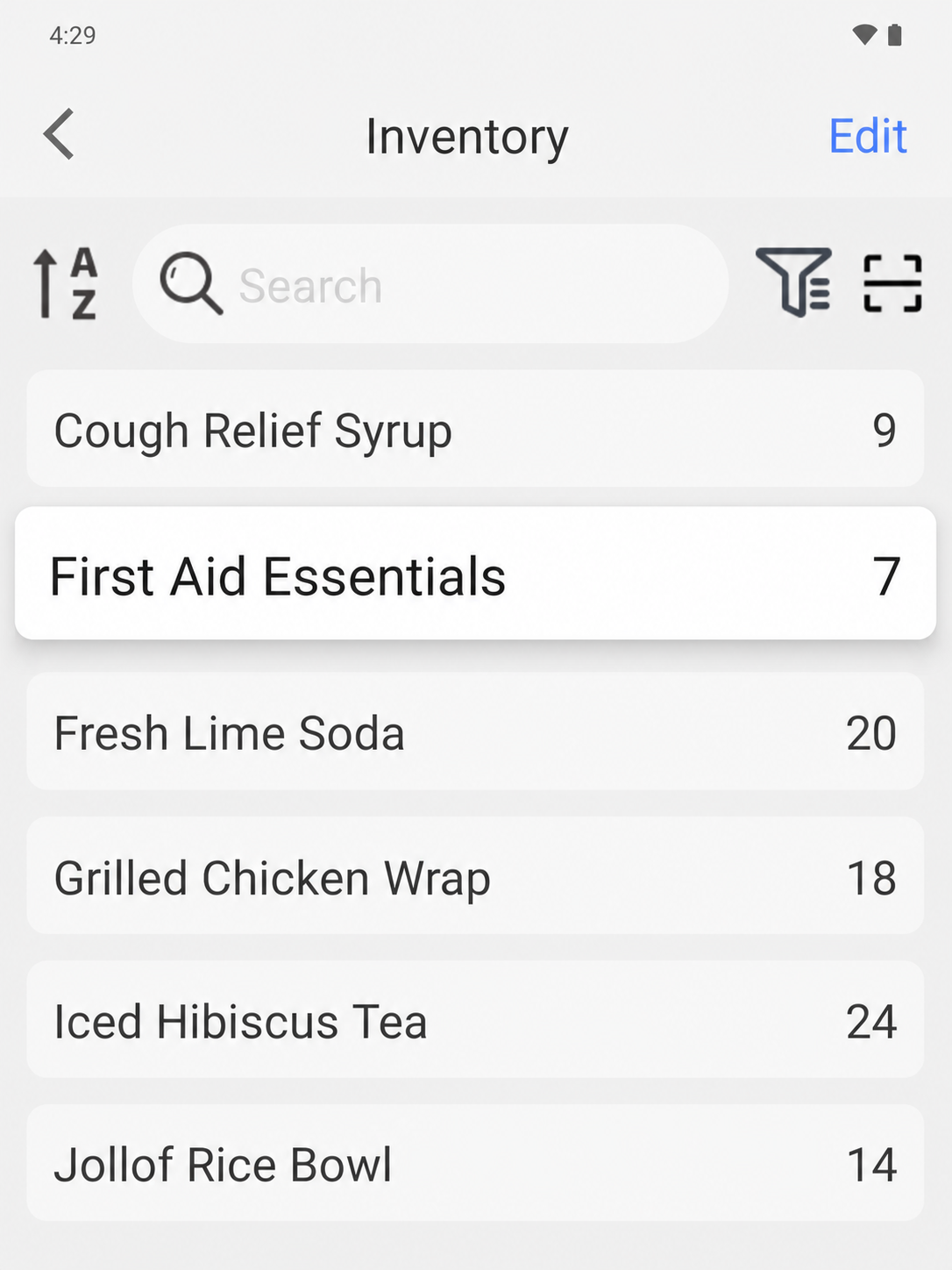
EazSell Android inventory screen showing products and their current stock quantities
02

Inventory control

Know what needs restocking before the shelf is empty.

Open the inventory screen to see product names and current quantities together. Staff can spot low stock earlier instead of discovering the problem when a customer asks for an empty item.

Managers can use the same view during restocking, shift handover or a quick shelf check. The counter and stockroom work from the same list, which makes the next action easier to agree on.

Simplifique os períodos mais movimentados do dia.

Reúna caixa, controlos de factura e registos diários para reduzir ferramentas e dados introduzidos duas vezes.

Mantenha o checkout em movimento

Scan or search items, change quantities and print receipts without moving between a till and a separate fiscal tool.

Reconciliar stock e pagamentos

Completed sales update stock records and keep the payment method beside each transaction, so owners can review the day's totals more easily.

Continuar através de conectividade fraca

Eligible sales can be saved locally, with pending fiscal work kept visible until connectivity returns and synchronization is resolved.

Veja como uma venda percorre a EazSell.

A equipa segue passos familiares do primeiro artigo ao recibo final, enquanto a EazSell mantém os registos actualizados.

  1. 1

    Scan

    Find an item by barcode or product search.

  2. 2

    Collect

    Record the configured payment method used.

  3. 3

    Validate

    Check required invoice and tax details.

  4. 4

    Imprimir

    Issue the fiscal receipt through a supported printer.

  5. 5

    Close

    Review stock movement, payment records and the Z report.

Escolha uma configuração adequada à sua equipa.

Use a EazSell num dispositivo Android e impressora compatíveis com o balcão, a equipa móvel e os requisitos locais.

  • All-in-one Android POS with a built-in receipt printer for a fixed counter
  • Android tablet or phone with a Bluetooth receipt printer for a flexible setup
  • Handheld Android POS for stock checks and sales away from the main till

Veja como a EazSell se adapta ao seu negócio.

Explique como a sua equipa vende hoje. Mostraremos as opções relevantes de caixa, facturação, modo offline e equipamento.

Pedir uma demonstração